ACode – Best Mobile Coding App for Android Users
Learning coding is becoming more important every day. Many students and beginners want to learn web development, but not everyone has a laptop or computer. This is where Acode becomes very useful. Acode is a simple mobile coding app for Android users that helps people write and practice code directly from their phones.
Acode is one of the best coding editors for Android beginners. The app is lightweight, fast, and easy to use. Even if you are new to coding, you can start learning very quickly with this app.
What is Acode?
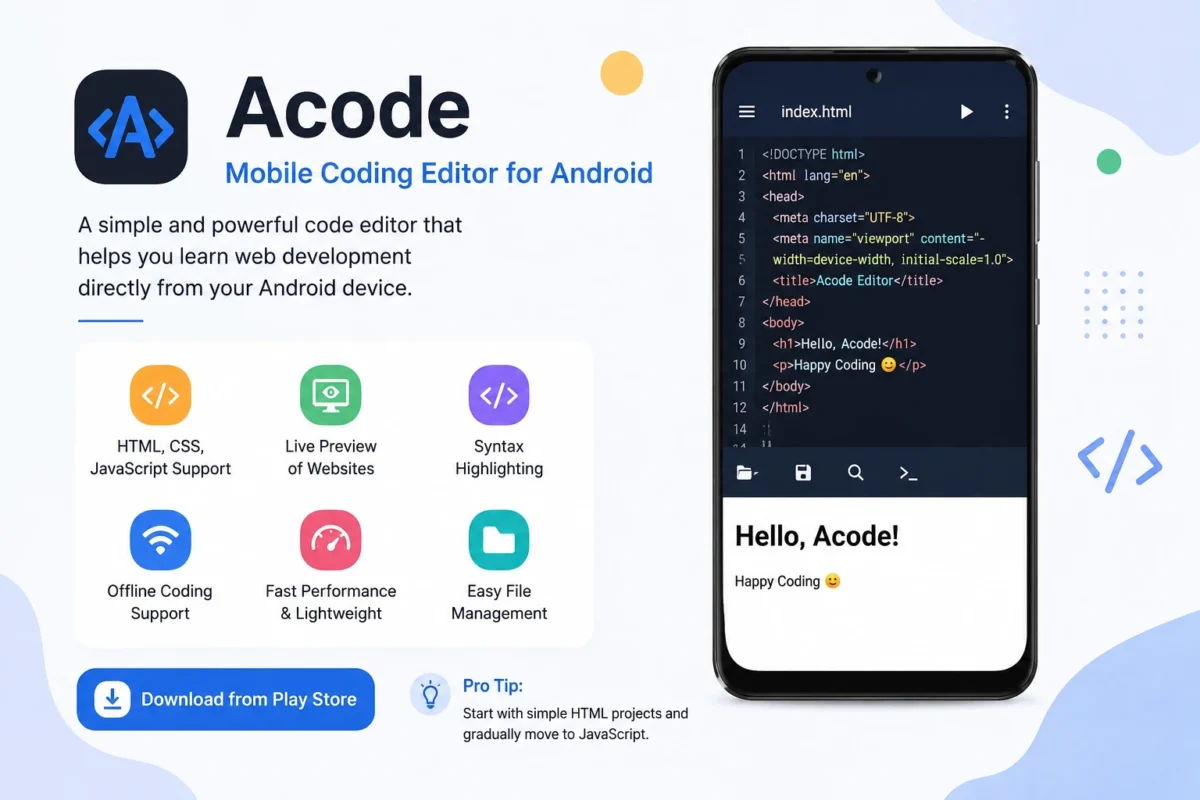
Acode is a mobile code editor made for Android devices. It allows users to write HTML, CSS, JavaScript, and other programming languages from their phones. The app is designed for beginners, students, and developers who want a simple coding setup on mobile.
Many people use Acode to build small websites, edit web files, and practice coding skills without needing a computer. The app has a clean design, so users can focus on learning and writing code easily.
Main Features of Mobile Coding App/ACode
Acode comes with many useful features that make coding simple and comfortable on mobile devices. Acode fully supports web development languages like HTML, CSS, and JavaScript. Beginners can create simple web pages and slowly learn advanced coding step by step.
One of the best features of Acode is the live preview option. Users can see website changes instantly after editing code. This helps beginners understand how websites work in real time.
The app uses different colors for different code parts. This feature is called syntax highlighting. It makes code easier to read and helps users find mistakes quickly.
Offline Coding Support
You do not always need an internet connection to use Acode. Users can practice coding offline anytime and anywhere. This is very useful for students and travelers.
Lightweight and Fast Performance
Acode is a lightweight app, so it works smoothly on most Android phones. Even users with low-end devices can use the app without major problems.
Why Acode is Good for Beginners
Many beginners feel confused when starting coding on computers because some software looks complicated. Acode keeps everything simple and clean. The easy design helps new users focus on learning instead of struggling with difficult tools.
Students can practice coding during free time, while traveling, or at school. Since the app works on mobile devices, users can learn coding from anywhere.
Acode also helps users build confidence. Beginners can start with small projects and improve slowly. Creating simple HTML pages, adding CSS styles, and testing JavaScript functions become much easier with this app.
Best Way to Learn Coding with Acode
If you are new to coding, start with basic HTML projects. Create simple pages with text, headings, buttons, and images. After learning HTML, move to CSS for website design and styling.
Next, start learning JavaScript to add functions and interactive effects to your website. Practice every day, even for a short time. Small daily practice can improve coding skills faster. Watching YouTube tutorials while practicing inside Acode can also help beginners learn more quickly.
Download Google Play
Download Google Drive
Final Thoughts
Acode is one of the best mobile coding editors for Android users who want to learn web development without a laptop. The app is simple, fast, beginner-friendly, and packed with useful features.
If you want to start coding from your phone, Acode is a great choice for learning and practicing web development anytime and anywhere.