SocksDroid for Android – Easy SOCKS Proxy App Guide
SocksDroid is a lightweight Android app that helps users connect to the internet using a SOCKS proxy server. It is popular among users who want better privacy, faster access to some networks, and simple proxy management directly from their Android phone.
What Is SocksDroid?
SocksDroid is an Android application designed to route your internet traffic through a SOCKS5 proxy server. It works with mobile data and Wi-Fi connections and allows users to configure custom proxy settings easily. This app is useful for
- Browsing through a proxy server
- Improving online privacy
- Managing network routing
- Testing proxy connections
- Accessing restricted networks in some cases
Main Features of SocksDroid
Simple User Interface
SocksDroid has a clean and beginner-friendly interface. Users can quickly enter proxy details and connect with a single tap.
SOCKS5 Support
The app supports SOCKS5 protocol, which is faster and more secure than many older proxy methods.
Username & Password Authentication
Users can connect to private proxy servers using login credentials.
Lightweight Performance
The app is small in size and works smoothly on most Android devices without slowing down the phone.
Wi-Fi and Mobile Network Support
SocksDroid works on both Wi-Fi and mobile internet connections.
How to Install SocksDroid on Android
Step 1 – Download the APK
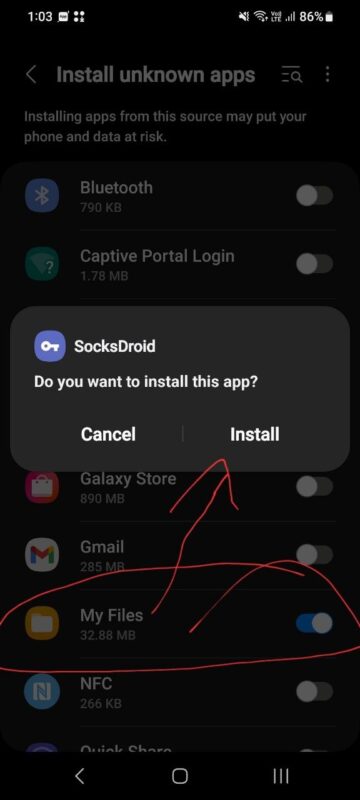
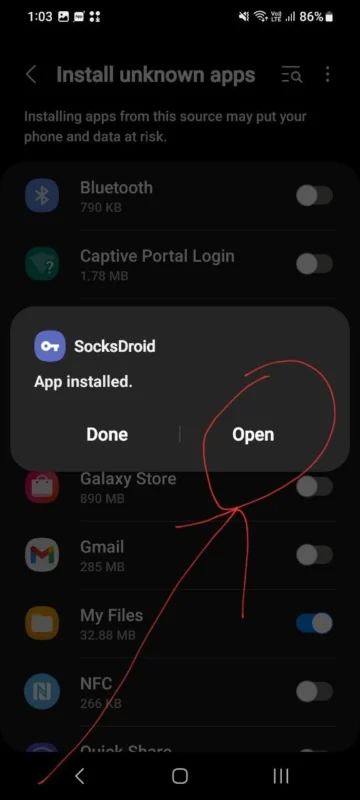
Download the latest SocksDroid APK. Allow installation from your browser or file manager (Settings → Security → Install Unknown Apps). Open the APK file and tap Install. After installation, launch the app from your Android app drawer.
How to Configure SocksDroid
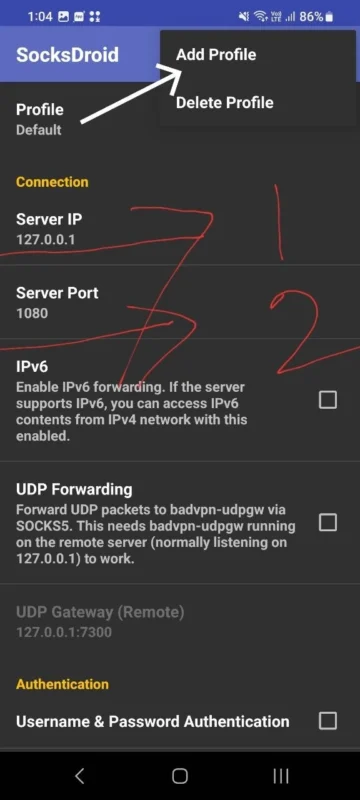
Open the app and Enter your SOCKS proxy IP address. Add the port number then Enter username and password if required now Tap the connect button. Easy setup process and Fast SOCKS5 proxy connection with Low battery usage and Simple design for beginners to Useful for developers and advanced users
Important Safety Tips
Always use trusted proxy servers. Free or unknown proxies may log your activity or reduce your privacy. Keep your Android device updated and avoid downloading modified APK files from unsafe websites.
Final Words
SocksDroid is a useful Android tool for users who need a simple SOCKS proxy client. Its lightweight design, easy configuration, and SOCKS5 support make it a good option for Android network management and proxy usage.
Whether you are testing network connections or using a private proxy server, SocksDroid offers a quick and simple solution for Android devices.